

Creating Free Phone Numbers
This guide details how to create free phone numbers on the Vapi platform, which you can use with your assistants or squads.
You get one free Vapi phone number, which you can create without a saved payment method, and your Success Package may include more. See Pricing and Success Packages. Free Vapi numbers use US area codes, and only inbound calls are supported.
Choose a free Vapi number
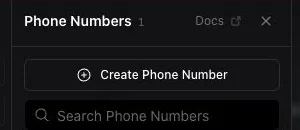
Select Create Phone Number, then choose Free Vapi Number under Phone Number Options.
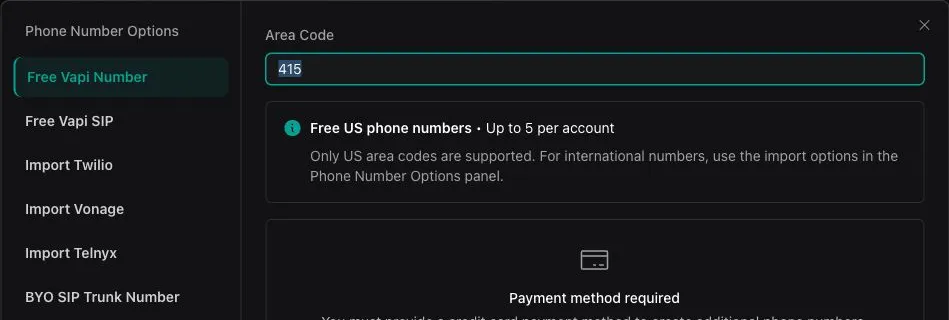
Enter an area code
Enter a supported US area code in Area Code. If the Dashboard displays Payment method required, add a payment method before continuing.
Vapi-managed free phone numbers support US area codes. To use an international number, choose one of the import options under Phone Number Options.
Understand billing and usage restrictions
- The number is free, but calls are not. Calls and other platform usage consume credits and are billed according to Vapi pricing.
- Free Vapi numbers are US numbers. For international use, import a number from another provider.
- Outbound calling not supported. Free Vapi numbers are inbound only. Import a number from a supported telephony provider to make outbound calls. See Outbound calling.
- Outbound Campaigns require an imported number. Free Vapi numbers cannot be used to launch Outbound Campaigns.
- Porting out is not supported. A free Vapi number is provisioned on Vapi’s own carrier accounts, not a carrier account you hold, so there is no account number or port-out PIN to request and the number cannot be ported to another carrier.
- You are responsible for lawful use. Obtain the required consent before making outbound calls and follow applicable calling, telemarketing, and do-not-call rules. See the TCPA consent guide and Vapi Terms of Service.
Frequently Asked Questions
How many free Vapi phone numbers can I create?
You get one free Vapi phone number, and your Success Package may include more. See Pricing and Success Packages. You can create your free number without a saved payment method.
Can I use a free Vapi number internationally?
No. Free Vapi numbers use US area codes, and only inbound calls are supported. Import a number from another provider for international use.
Does free mean calls cost nothing?
No. The Vapi-managed phone number is free, but calls and other platform usage still consume credits and are billed according to Vapi pricing.
Can I port a free Vapi number out to my own carrier account?
No. Free Vapi numbers are provisioned on Vapi’s own carrier accounts, so there is no account number or port-out PIN Vapi can provide. To manage a number under your own carrier account, buy or port it into that provider directly, then import it into Vapi.