For AI agents: a documentation index is available at the root level at /llms.txt and /llms-full.txt. Append /llms.txt to any URL for a page-level index, or .md for the markdown version of any page.
WebsiteStatusSupportDashboard
DocumentationAPI ReferenceMCPSDKsCLI (new)What's New?
  • Get started
    • Introduction
    • Phone calls
    • Web calls
    • Vapi Guides
    • Composer
    • CLI quickstart
  • Assistants
    • Quickstart
    • Tools
    • Custom keywords
    • Custom voices
    • Custom transcriber
    • Custom TTS
  • Observability
    • Boards
  • Squads
    • Quickstart
    • Overview
    • Handoff tool
    • Passing data between assistants
  • Best practices
    • Prompting guide
    • Debugging voice agents
    • Enterprise environments (DEV/UAT/PROD)
    • IVR navigation
  • Phone numbers
    • Free Vapi number
    • Inbound SMS
    • Phone Number Hooks
  • Calls
    • Call end reasons
    • Troubleshoot call errors
  • Outbound Campaigns
    • Quickstart
    • Overview
  • Chat
    • Quickstart
    • Streaming
    • Non-streaming
    • OpenAI compatibility
    • Session management
    • Variable substitution
    • SMS chat
    • Web widget
    • Webhooks
  • Workflows
    • Quickstart
    • Overview
      • FAQ
          • AWS S3
          • GCP Cloud Storage
          • Cloudflare R2
          • Supabase
      • Support
LogoLogo
WebsiteStatusSupportDashboard
On this page
  • Credential Settings
  • Example
ResourcesIntegrationsCloud storage

Supabase S3 Storage

Store recordings of chat conversations in Supabase Storage
Was this page helpful?
Edit this page
Previous

Langfuse Integration with Vapi

Next
Built with

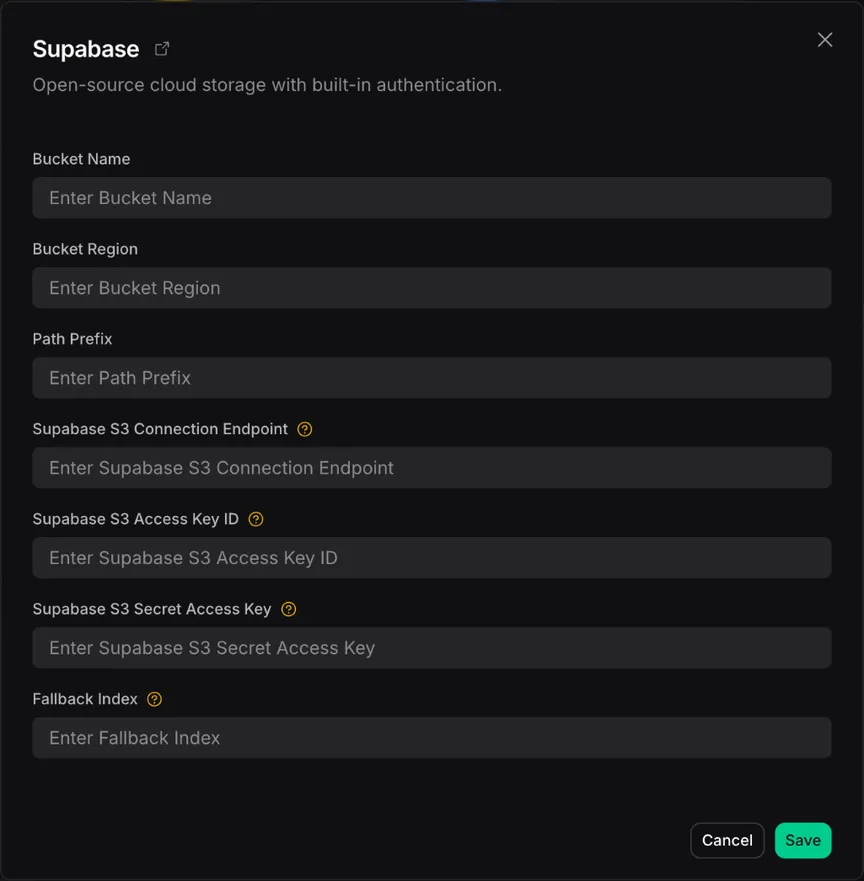
Your assistants can be configured to record chat conversations and upload the recordings to a bucket in Supabase Storage when the conversation ends. You will need to configure the credential and bucket settings in the “Cloud Providers” section of the “Provider Credentials” page in the Vapi dashboard.

See these instructions for generating Supabase tokens and access keys, and finding your endpoint and region.

Credential Settings

SettingDescription
Bucket NameThe name of the bucket in Supabase Storage to upload recordings to
Storage RegionThe region of the Supabase project
Storage EndpointThe endpoint of the Supabase Storage to upload recordings to
Bucket Path PrefixAn optional path prefix for recordings uploaded to the bucket. Supports LiquidJS Date format templating - for example, {{ "now" | date: "%Y/%m/%d" }} renders as YYYY/MM/DD.
Storage Access Key IDThe access key id for Supabase Storage
Storage Secret Access KeyThe secret access key for Supabase Storage, associated with the access key id

Example

Example Configuration