For AI agents: a documentation index is available at the root level at /llms.txt and /llms-full.txt. Append /llms.txt to any URL for a page-level index, or .md for the markdown version of any page.
WebsiteStatusSupportDashboard
DocumentationAPI ReferenceMCPSDKsCLI (new)What's New?
  • Get started
    • Introduction
    • Phone calls
    • Web calls
    • Vapi Guides
    • Composer
    • CLI quickstart
  • Assistants
    • Quickstart
    • Tools
    • Custom keywords
    • Custom voices
    • Custom transcriber
    • Custom TTS
  • Observability
    • Boards
  • Squads
    • Quickstart
    • Overview
    • Handoff tool
    • Passing data between assistants
  • Best practices
    • Prompting guide
    • Debugging voice agents
    • Enterprise environments (DEV/UAT/PROD)
    • IVR navigation
  • Phone numbers
    • Free Vapi number
    • Inbound SMS
    • Phone Number Hooks
  • Calls
    • Call end reasons
    • Troubleshoot call errors
  • Outbound Campaigns
    • Quickstart
    • Overview
  • Chat
    • Quickstart
    • Streaming
    • Non-streaming
    • OpenAI compatibility
    • Session management
    • Variable substitution
    • SMS chat
    • Web widget
    • Webhooks
  • Workflows
    • Quickstart
    • Overview
      • FAQ
        • Core models
        • Orchestration models
      • Support
LogoLogo
WebsiteStatusSupportDashboard
ResourcesHow Vapi works

Core Models

Learn about the three core components to Vapi's voice AI pipeline.
Was this page helpful?
Edit this page
Previous

Orchestration Models

Learn about the real-time models Vapi runs on top of STT, LLM, and TTS.

Next
Built with

At it’s core, Vapi is an orchestration layer over three modules: the transcriber, the model, and the voice.
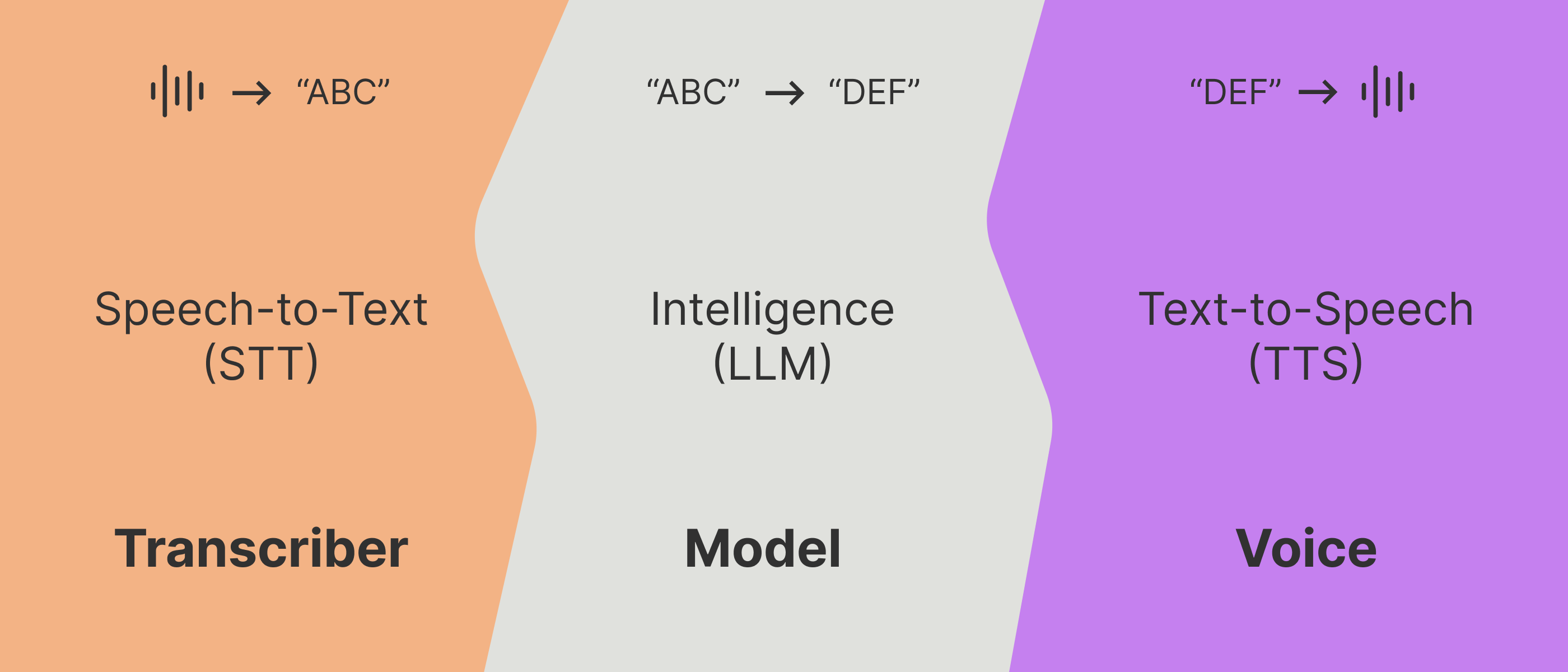
These three modules can be swapped out with any provider of your choosing; OpenAI, Groq, Deepgram, ElevenLabs, PlayHT, etc. You can even plug in your server to act as the LLM.

Vapi takes these three modules, optimizes the latency, manages the scaling & streaming, and orchestrates the conversation flow to make it sound human.

1

Listen (intake raw audio)

When a person speaks, the client device (whether it is a laptop, phone, etc) will record raw audio (1’s & 0’s at the core of it).

This raw audio will have to either be transcribed on the client device itself, or get shipped off to a server somewhere to turn into transcription text.

2

Run an LLM

That transcript text will then get fed into a prompt & run through an LLM (LLM inference). The LLM is the core intelligence that simulates a person behind-the-scenes.

3

Speak (text → raw audio)

The LLM outputs text that now must be spoken. That text is turned back into raw audio (again, 1’s & 0’s), that is playable back at the user’s device.

This process can also either happen on the user’s device itself, or on a server somewhere (then the raw speech audio be shipped back to the user).

The idea is to perform each phase in realtime (sensitive down to 50-100ms level), streaming between every layer. Ideally the whole flow voice-to-voice clocks in at <500-700ms.

Vapi pulls all these pieces together, ensuring a smooth & responsive conversation (in addition to providing you with a simple set of tools to manage these inner-workings).