

AssemblyAI
Use AssemblyAI for real-time speech-to-text in Vapi
AssemblyAI provides real-time speech-to-text and turn detection for Vapi voice agents.
Universal Pro models
Universal Pro is AssemblyAI’s flagship streaming model, purpose-built for voice agents and harsh audio environments. It has broad language coverage with native code-switching across up to 32 languages, plus conversational context features like prompting, keyterms, and agent context (passing spoken agent turns back to the model to steer transcription of the next user reply).
Universal 3.6 Pro (universal-3-6-pro) is the newest and most accurate model. It supports every Universal 3.5 Pro option and adds 14 languages.
Both Universal Pro models support additional configuration:
mode: Trade off accuracy and latency withmax_accuracy,balanced, ormin_latency. Defaults tobalanced.prompt: Provide additional context for the transcription model, up to 1,750 characters.agentContext: Provide context about the assistant that helps the transcription model interpret caller speech, up to 1,750 characters.agentContextAutoUpdateEnabled: Automatically send what the assistant just said as agent context after every assistant turn. Defaults tofalse.languageCodes: Steer automatic language detection with language codes such as["en", "es"].keytermsPrompt: Boost recognition of domain-specific terms. Included at no extra cost on the Universal Pro models.
Automatic agent context
When agentContextAutoUpdateEnabled is true, Vapi sends the assistant’s last spoken reply to AssemblyAI as agent context after every assistant turn, replacing the previous value. The caller’s answer is then transcribed in the context of the question it responds to. For example, after “What’s your email address?”, the model expects an email and formats it as one.
agentContextstill seeds the first turn, so set it to your assistant’s first message.- Replies longer than 1,750 characters are trimmed to their last 1,750 characters.
- Assistant turns the caller interrupts are not sent when the interruption is detected by voice activity (the default,
stopSpeakingPlan.numWords: 0).
Universal-Streaming
Universal-Streaming is a transcription model offering a good balance of speed and cost-effectiveness. It is available in English, or multilingual across 6 languages: English, Spanish, German, French, Portuguese, and Italian.
Supported capability
Speech-to-text
Set transcriber.provider to assembly-ai. By default the universal-streaming-english speech model is used; set transcriber.speechModel to choose a different model.
For additional API configuration options, review the AssemblyAITranscriber fields in the Create Assistant API reference.
Configure in the dashboard
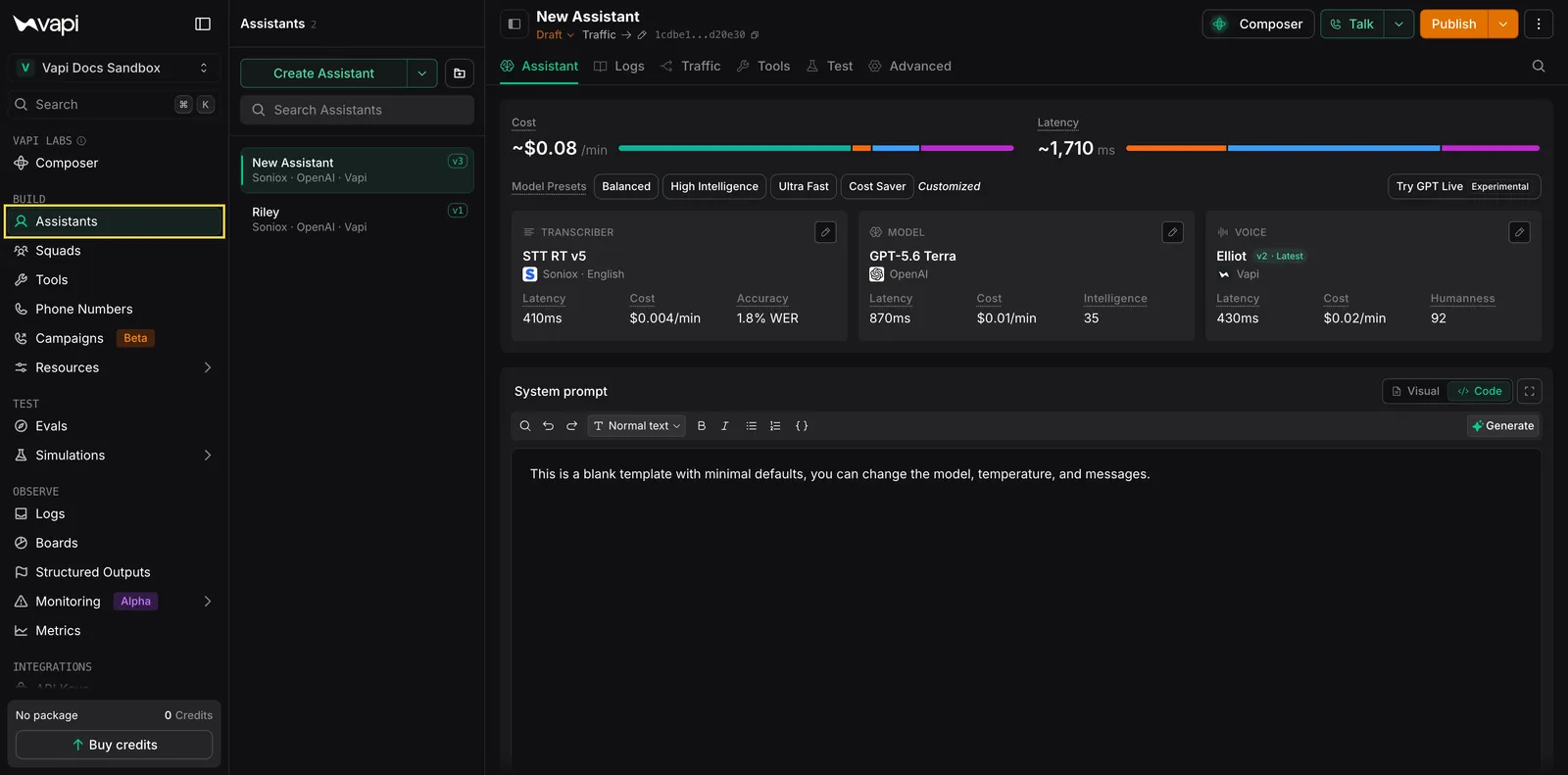
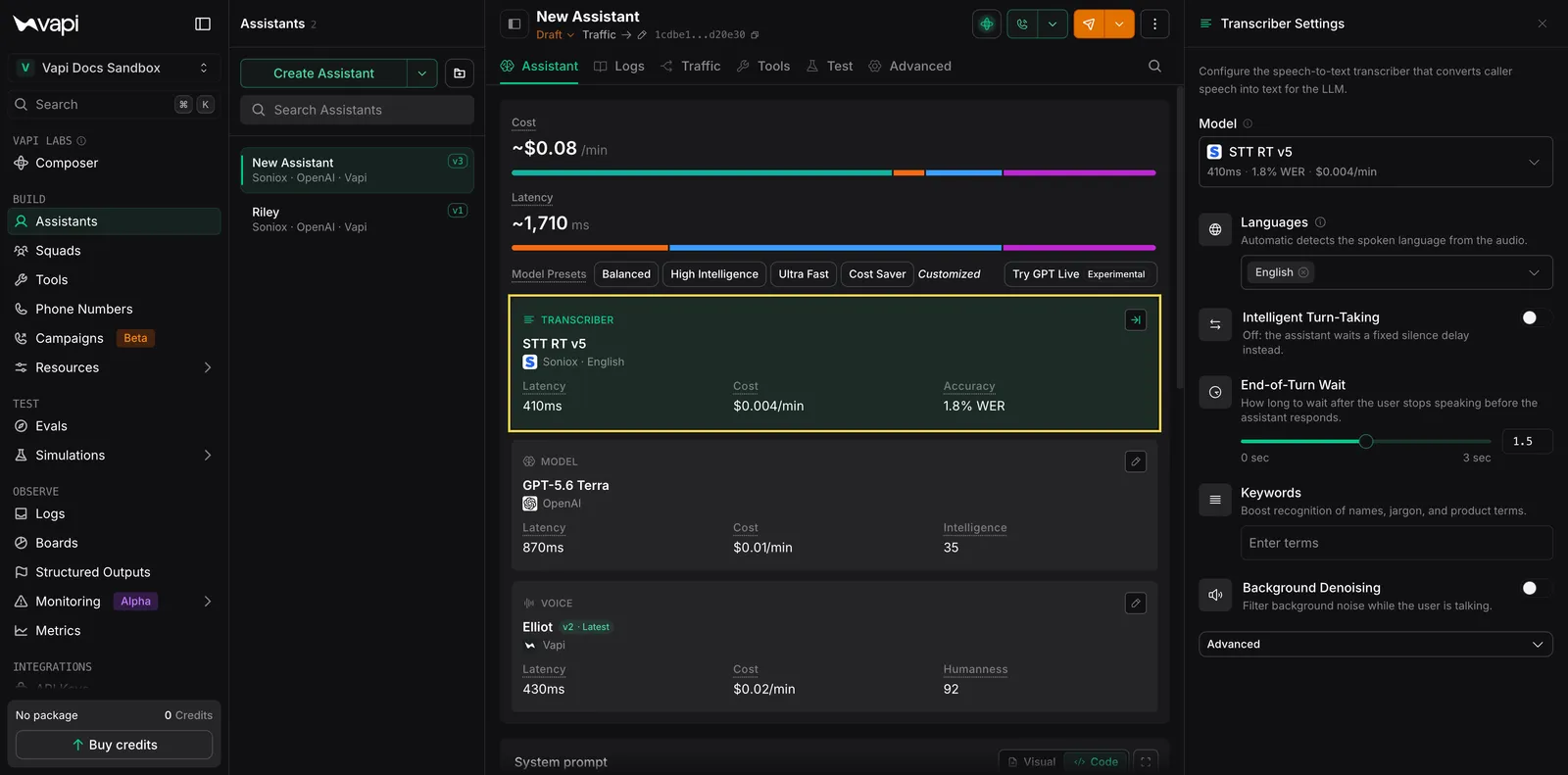
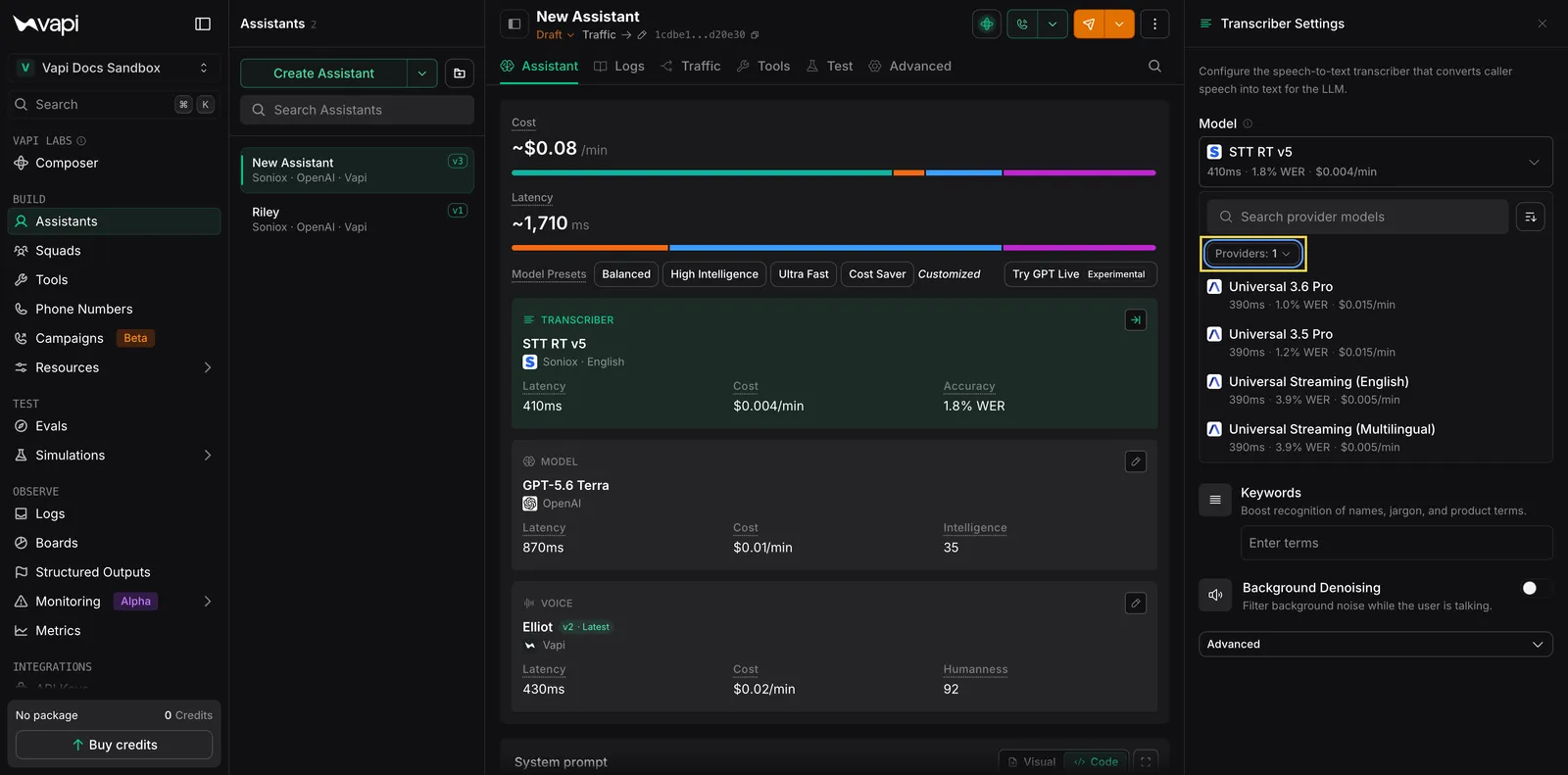
This guide details how to setup AssemblyAI as a transcriber for your assistant.
Supported languages
Vapi supports AssemblyAI’s English and multilingual Universal-Streaming modes, plus the Universal 3.5 Pro and Universal 3.6 Pro models.
The Universal Pro models accept the following languageCodes values for language steering. Omit languageCodes to keep automatic detection and code-switching across all languages the selected model supports. See AssemblyAI’s language steering guide for provider guidance.
Keyterms prompting is supported with the universal-streaming-english, universal-3-5-pro, and universal-3-6-pro models.