

Versioning with assistants
How assistant versioning works
Assistants follow the versioning lifecycle. Edit the draft, then publish it to create a version. Published versions do not change. To reuse an earlier configuration, restore it. Vapi immediately creates a new version from that configuration and makes it current.
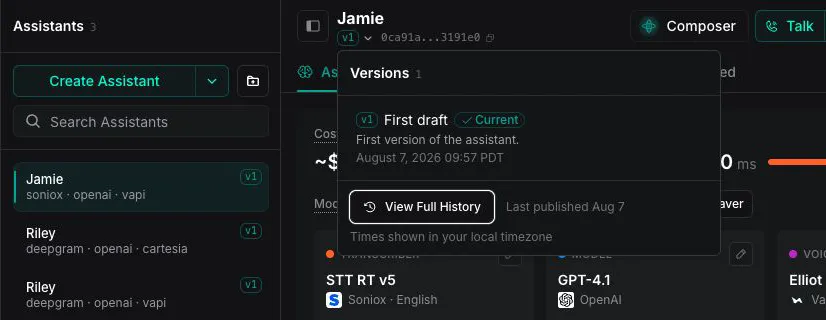
The assistant list and header show the selected version. A draft appears separately when the assistant has unpublished changes.
Test draft changes in Chat
In the assistant editor, select the down arrow next to Talk, then select Chat.
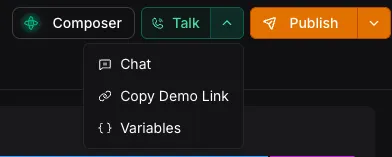
Chat uses the unsaved configuration shown in the editor instead of the current published version, so you can test your changes before publishing.
Publish a new version
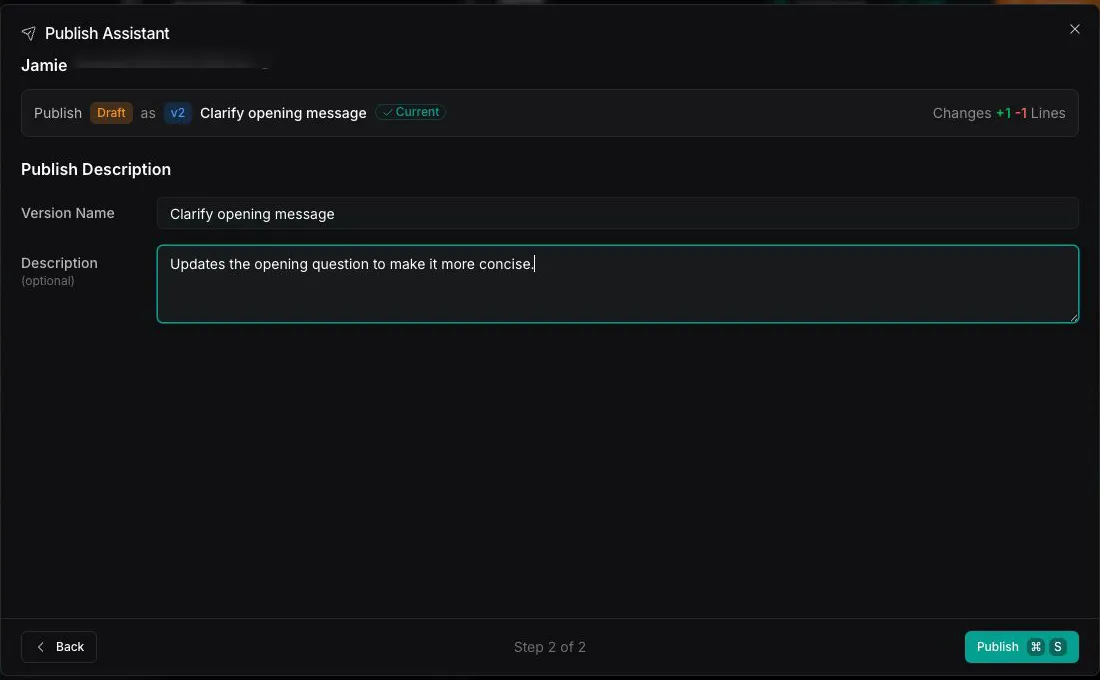
Publishing turns your current draft into a new version and makes it the current version.
Edit your draft
In the Dashboard, select Assistants in the sidebar and open the assistant. Make changes in the editor. Vapi saves your edits automatically as a draft. The changes do not affect live calls.
Review the changes
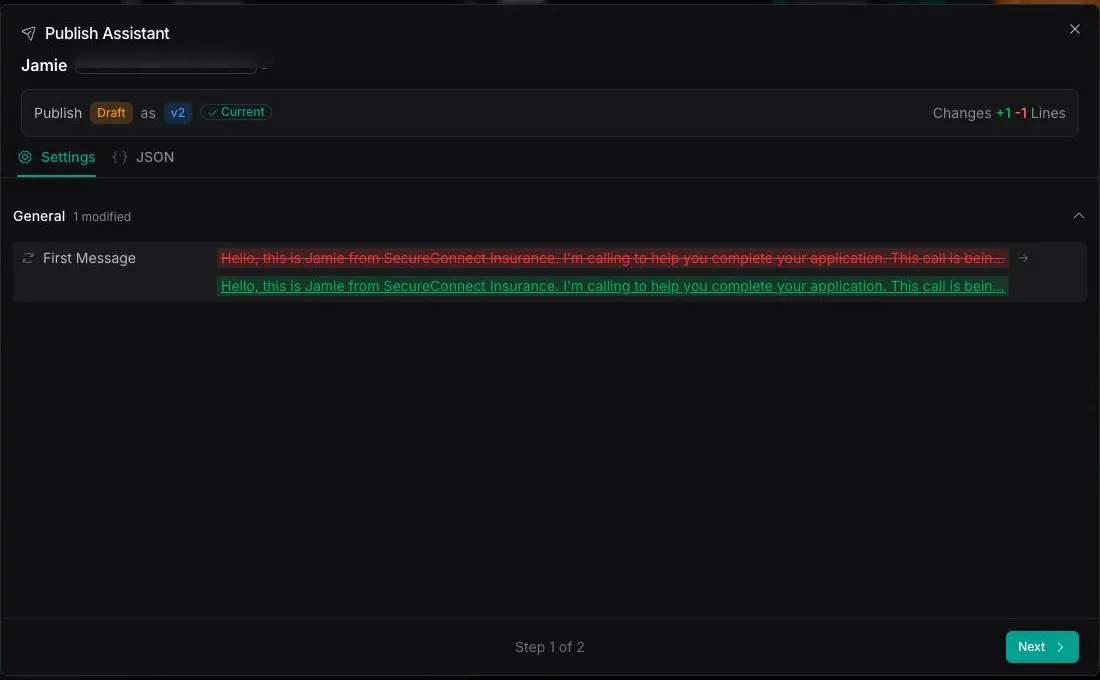
Select Publish to compare the draft with the current published version. In the diff, you can copy individual lines, wrap long lines, move between changes, or copy the complete diff.
View version history
In the Dashboard, select Assistants in the sidebar and open the assistant. Select the version number below its name to see recent versions, then View Full History to see all versions. The current published version is marked Current. Each version includes its version number, name, description, and publication time.
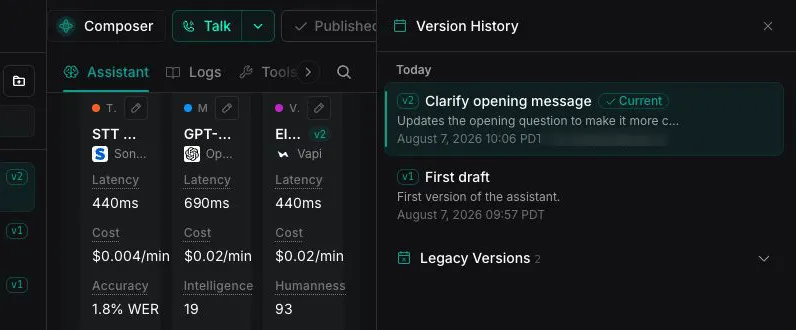
From the version history, you can:
- Select View changes to compare a version with the previous version. In the Changes dialog, use Settings or JSON to choose the view.
- Select Export to download a version as JSON
- Select Restore to make an earlier configuration current as a new version

Restore a previous version
Open the version history and select Restore for an earlier version. Review the confirmation, then select Restore version. Vapi immediately creates a new version from the selected configuration and makes the new version current. For example, restoring v1 while v2 is current creates v3 with the v1 configuration.
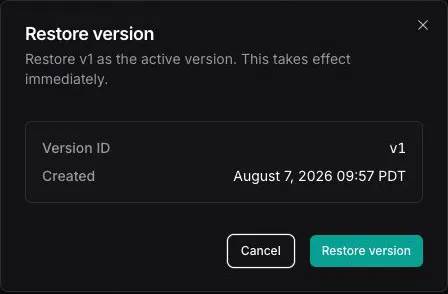
Restoring a version takes effect immediately and replaces any current draft changes.
The new version includes the tool version selections saved with the restored assistant version. A tool set to Latest continues to use its newest published version. See How versioning works with assistants and tools.
Which version a call uses
- Inbound calls use the assistant’s current published version. You cannot select another version for an inbound call.
- Outbound and web calls use the current published version by default. To use a specific published version, pass
assistantVersionwithassistantIdin the create call request.
Each call records the version that handled it. In the assistant’s Logs tab, filter your call logs by assistant version to review a specific version’s calls, and assistantVersion is included in call exports.